


 Slack
Slack Google Calendar
 Calendly
One inbox for every channel
Gmail, Outlook, WhatsApp, Slack and Teams in a single, sorted feed. Stop checking eight apps to find the one message that matters.
Gmail, Outlook, WhatsApp, Slack, Teams and more in one place. Ekam chimes the moment someone writes and drafts the reply — you just approve and send.
Product demo: a WhatsApp message arrives in Ekam's unified inbox, an alert pops up with a chime, AI drafts a reply, and it is sent with one click on “Approve & send”. The same happens for Gmail and Slack.
Works with the apps your customers already use
No new habits to learn. Connect once, then let Ekam bring every conversation to you.
Sign in to Gmail, Outlook, WhatsApp, Slack and the rest with their official login. Most connect in a couple of clicks — no passwords handed over.
A new message on any channel rings a soft chime and pops a card, even when Ekam is in a background tab.
A reply is already drafted in your tone. Send it as-is, tweak a word, or ask for another — it goes out through the original channel.
Every screen below is Ekam as your team will use it — no mock-ups.
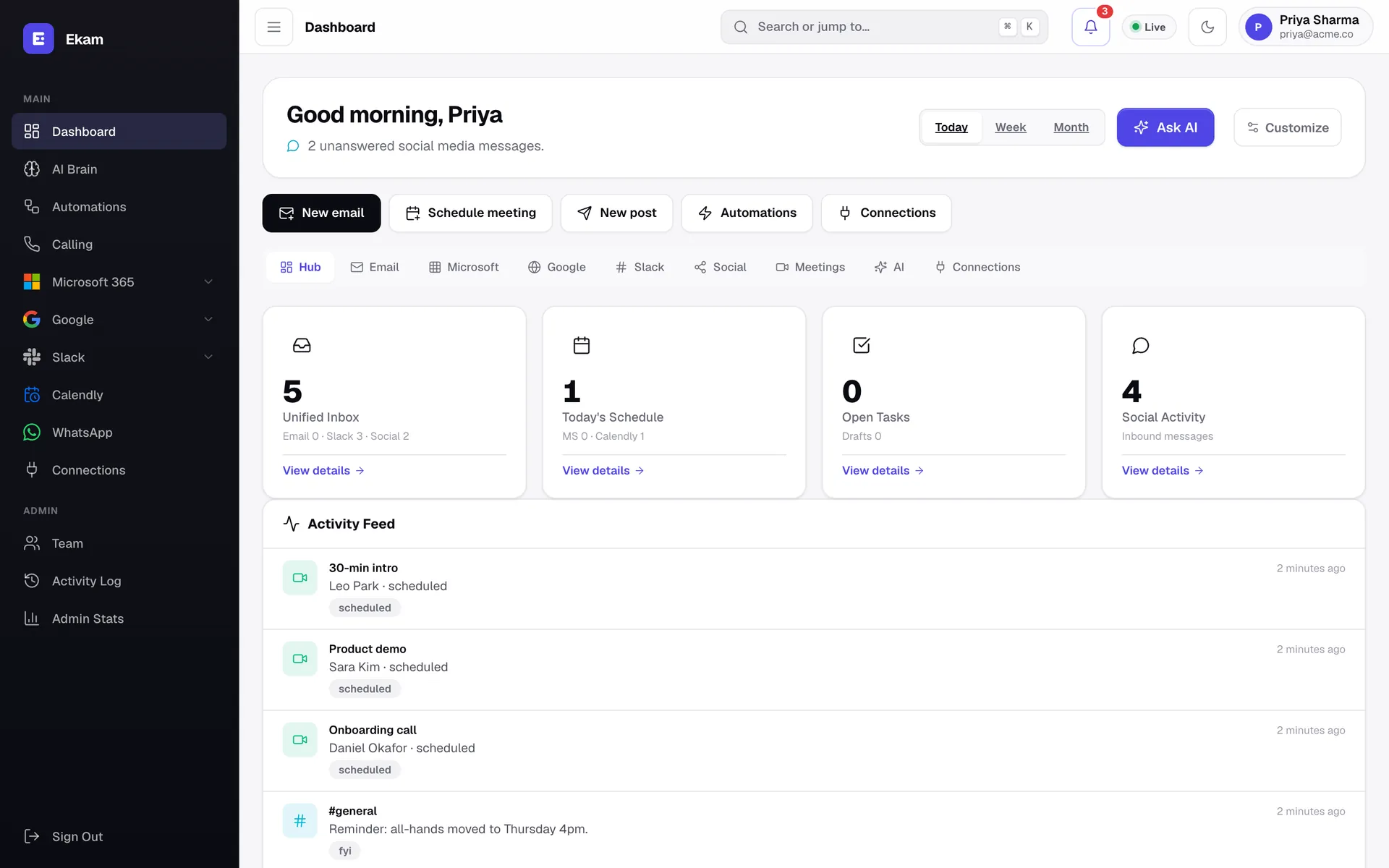
Your morning in one glance: unified inbox counts, today's schedule and a live activity feed.
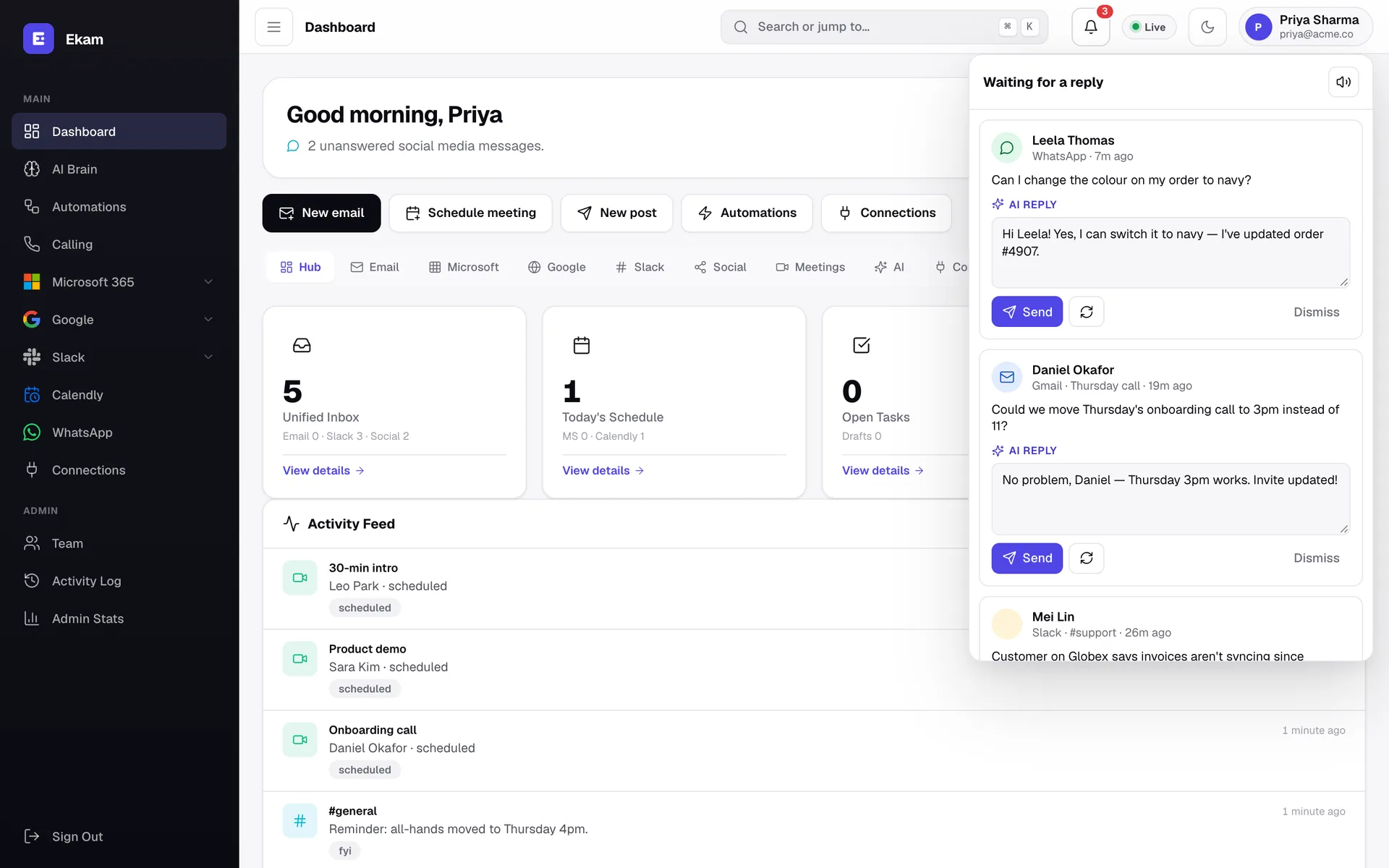
A chime the moment someone writes — with the reply already drafted. Send, regenerate or dismiss.
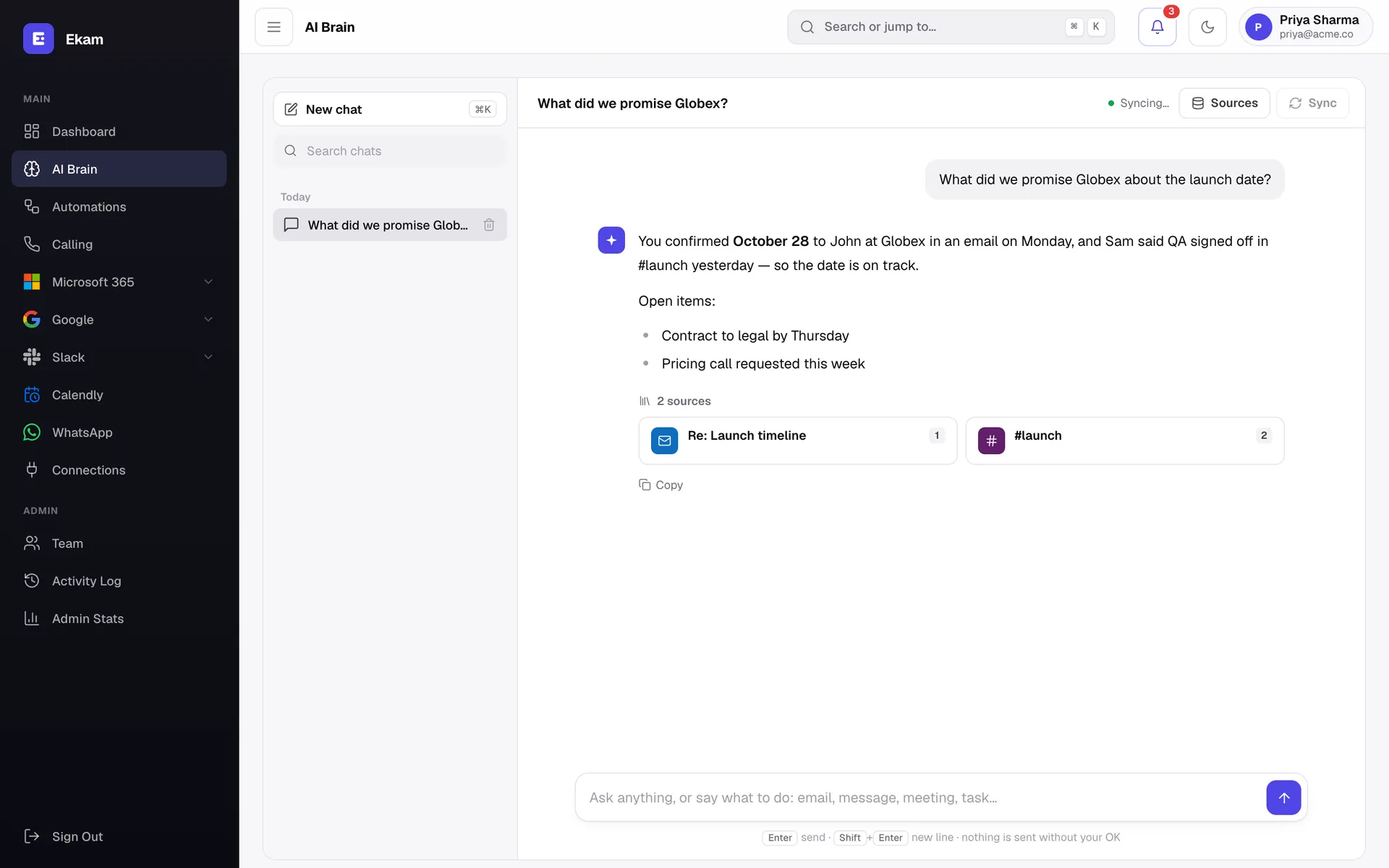
Ask in plain words. Get an answer from your own email and chat — with the sources linked.
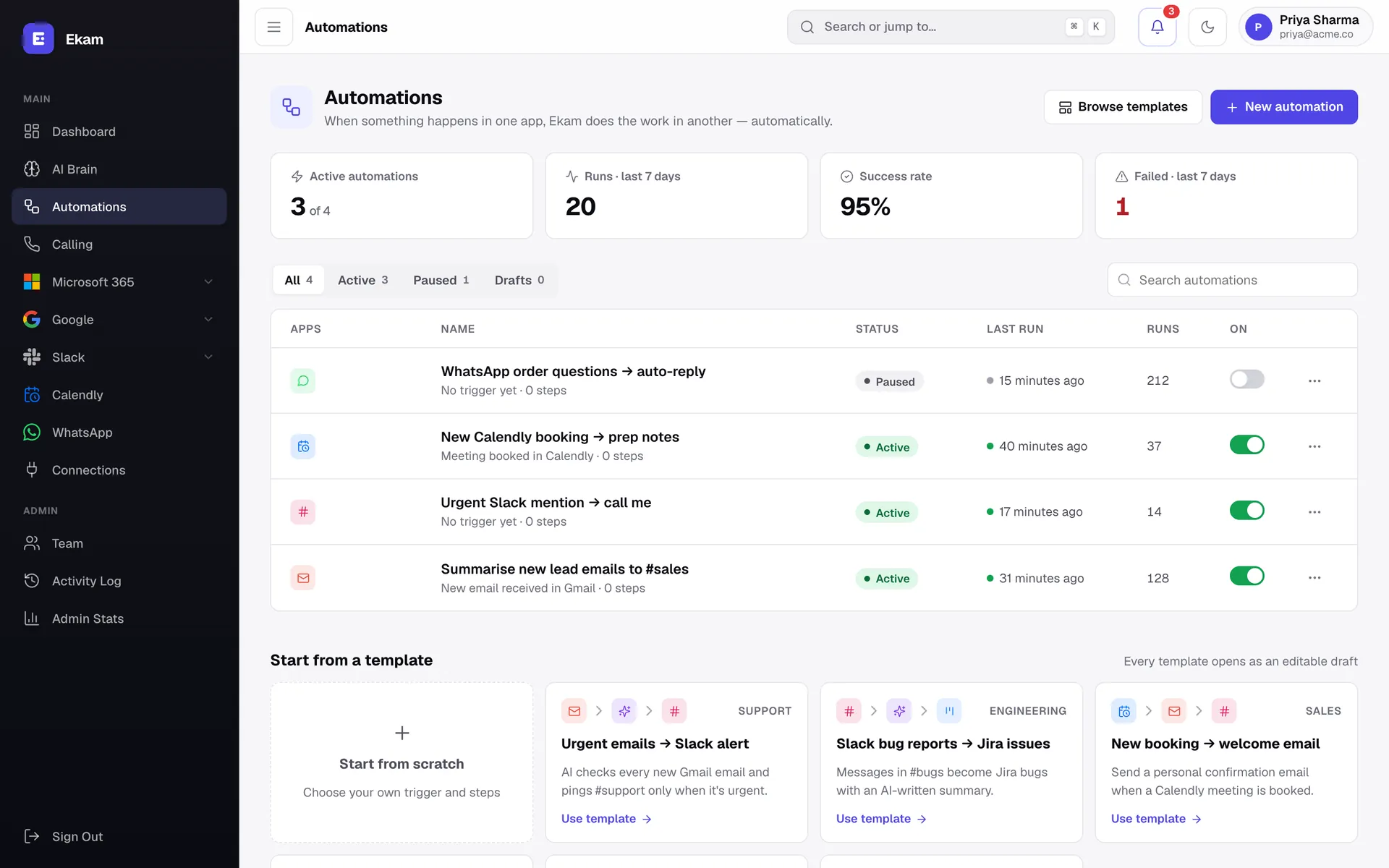
Triggers and actions across your apps, with success rates and one-click templates.
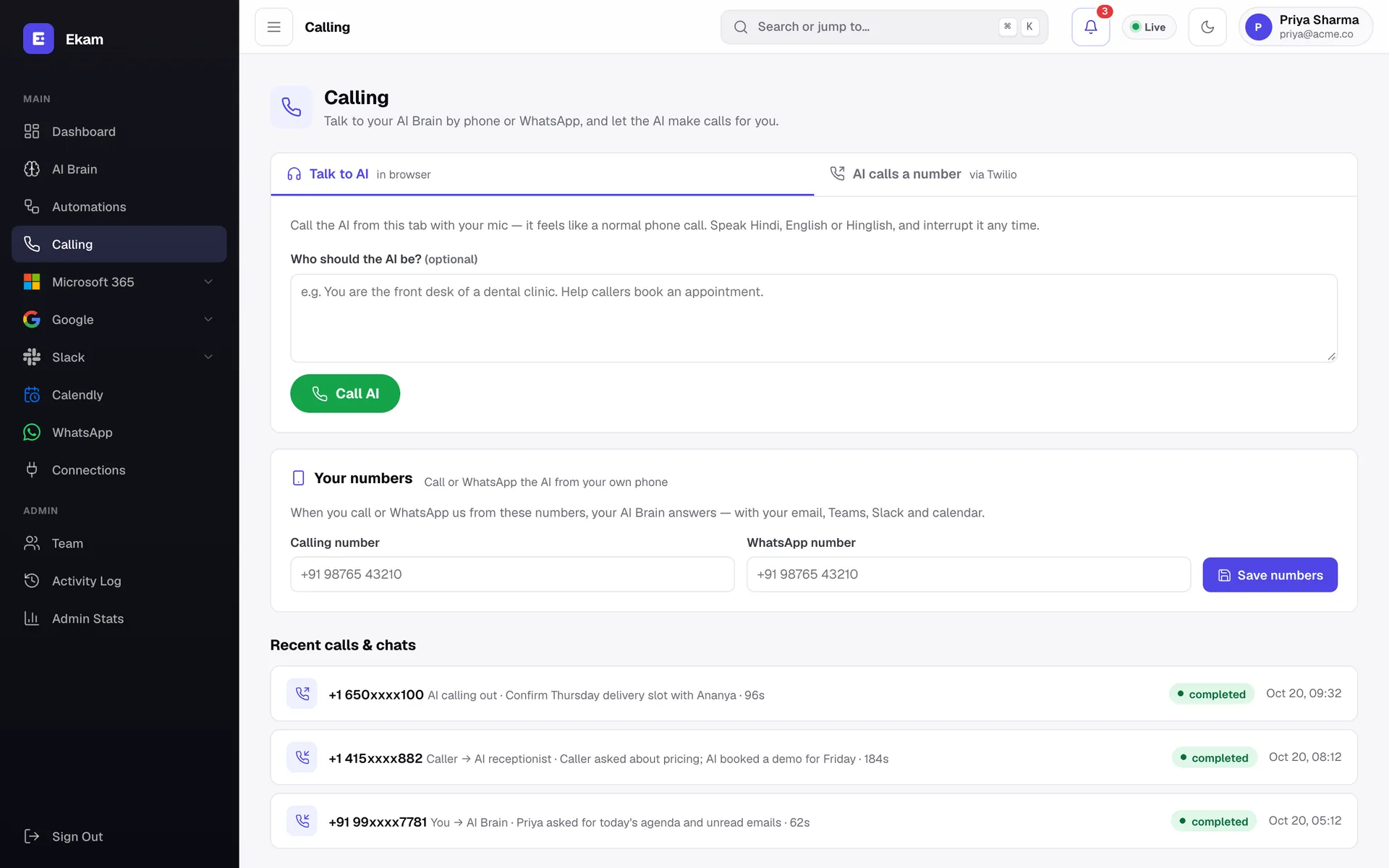
Call your AI from the browser, or let it call customers for you. Every call is logged.
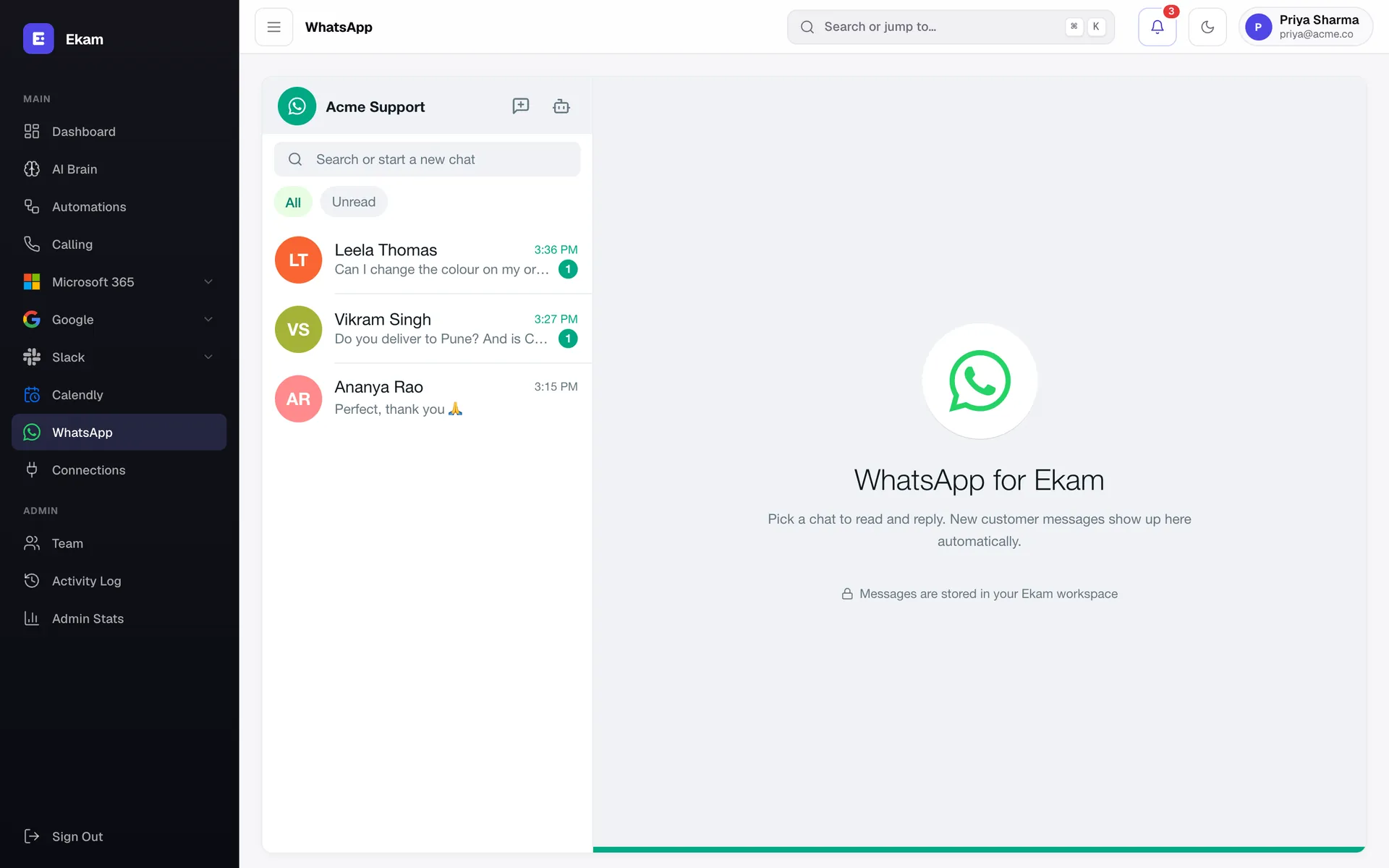
Your WhatsApp Business inbox, with unread filters and AI-suggested replies.
Gmail, Outlook, WhatsApp, Slack and Teams in a single, sorted feed. Stop checking eight apps to find the one message that matters.
Instant alerts with sound and desktop notifications. Mute any time; Ekam remembers what already rang.
AI reads the thread and drafts a reply that fits. Approve, edit or regenerate — you always have the last word.
AI Brain indexes your mail, meetings, Teams and Slack so you can ask “what did we promise Acme?” and get the answer with sources.
Automations connect triggers to actions — summarise every new lead email and post it to Slack, and more.
Invite teammates, set roles, and see an activity log of who did what. Each workspace is fully isolated.
Ekam sits between you and your customers, so we treat every token and message like it matters — because it does.
Read our privacy policyGoogle, Microsoft, Slack and Meta connect through OAuth. We never see or store your account passwords.
Access tokens and API keys are encrypted with Fernet (AES-128 + HMAC) before they touch the database.
AI drafts; you decide. Replies only go out automatically on channels where you've switched on an auto-reply rule.
Every company's data, connections and AI memory are separated. Webhooks are verified with per-workspace secrets.
Every plan includes the unified inbox, sound alerts and unlimited AI replies. Try it free for a day.
For professionals who live in their inbox.
per user / month, billed yearly
Start 1-day free trialFor support and sales teams sharing the load.
per user / month, billed yearly
Start 1-day free trialFor larger teams with security reviews.
Volume pricing and invoicing
Book a demoPrices in USD, per user. Your 1-day trial needs a card or UPI and converts to a paid plan unless you cancel. Compare all plans
Not by default. AI replies wait for you to press Approve & send. The only exception is an auto-reply rule that you deliberately switch on for a specific channel — and you can turn it off at any time.
Today: Gmail, Outlook, WhatsApp Business, Slack and Microsoft Teams, plus Google Calendar and Calendly. Discord, Jira, Instagram, Facebook Messenger, Telegram and LinkedIn are coming soon. The Platforms page always shows what's live.
No. Replies go out through the original channel — your Gmail, your WhatsApp number, your Slack account — so they look exactly like messages you typed yourself.
When a message arrives on any connected channel, Ekam plays a short chime and shows a card with the suggested reply. If the tab is in the background you also get a desktop notification. Sound can be muted with one click.
No. Message content is sent to our AI provider only to draft the reply or answer you asked for, over an API whose data is not used for model training. See our Privacy Policy for details.
Most people connect their first channel in under two minutes. Each platform uses its own official sign-in, and a step-by-step guide walks you through anything that needs extra setup, like WhatsApp Business.
Something else? Ask us directly
Connect your first channel in two minutes. Your next reply is already drafted.